
What Is Twitch Spendable Balance and How To Use It?


Twitch is adding another way for viewers to manage their subscriptions, with recurring subscriptions now available through Spendable Balance. But what exactly is Twitch Spendable Balance, and how can creators use it? Here’s what you need to know.
Many creators livestream on platforms such as Kick and Twitch full-time and rely on their earnings to pay for basic necessities. This was recently seen on Kick, when the platform’s KPP glitched and caused issues where streamers got less money than they were owed. Twitch has set criteria for which streamers can withdraw earnings in the form of cash payouts. However, Twitch Spendable Balance works differently.
What is Twitch Spendable Balance?
The Twitch Spendable Balance is essentially an online wallet that stores a creator’s earnings. Twitch requires streamers to be at least affiliates or partners before they can withdraw their payout. This is where Twitch Spendable Balance comes in, as it’s a method streamers can use without being affiliates or partners. This monetization setup is linked to a creator’s earnings, which streamers can use to accumulate a balance through monetization and Program Fees; an example is shown in the screenshot below.
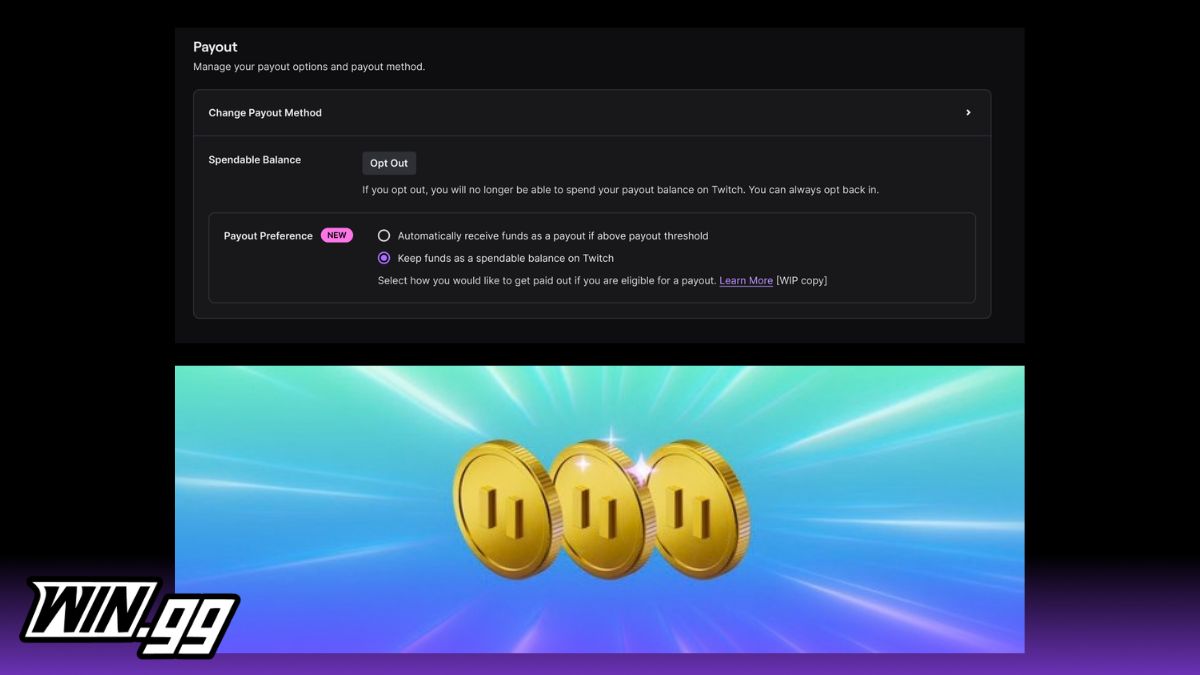
Image credit: Twitch
Streamers have to opt in, as it’s optional, but it’s important to understand that it’s different from a normal Twitch cash payout. The feature was initially released in the US and received significant backlash from the community. It has since become available globally, but streamers should still confirm whether their channel is eligible.
How to use Twitch Spendable Balance
The process to use Twitch Spendable Balance is straightforward once a streamer has enabled the feature from their Creator Dashboard’s Monetization menu. If a streamer has an existing balance, they can start using it instantly. However, if a creator has a balance of zero, then they can accumulate it through their earnings.
Once a creator has some balance and they want to start spending it, they can use it to gift subscriptions, Bits, Turbo, and enable recurring subscriptions. As the X post screenshot below shows, the last use has been newly added, and once creators enable recurring subscriptions, the renewal amount will be deducted automatically from their future balance.
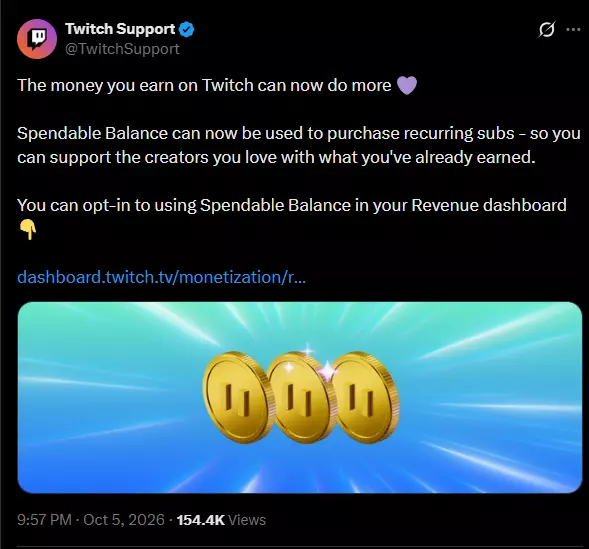
Twitch Support’s post on X.
If a creator’s balance is lower than the purchase cost, Twitch charges the remaining amount to the saved payment method. This is particularly useful for recurring subs, as streamers should either disable them or change their payment method to stop the amount being deducted automatically.
☑️ My View
If a streamer isn’t a Twitch affiliate or partner, then they have no choice but to use the Spendable Balance as a way to consume their earnings. However, affiliates and partners have the choice to withdraw their payout directly. This may prove to be a better method for them, as they will be able to spend the earnings on themselves.
Twitch Spendable Balance is a way for streamers to spend money on Twitch services and support other creators by gifting them subs, Bits, and Turbo. Logically, not all streamers will want to spend their entire Twitch earnings on others. Here’s where they can decide to either spend a part using Twitch Spendable Balance and get the rest as a cash payout or withdraw the amount in its entirety. I see this as an intriguing addition to the Twitch creator ecosystem.
Image credit: Twitch

Khizar Mundia has been playing video games for as long as he can recall. Things have come a long way since the many days he spent playing the original NES, though. He now covers a variety of competitive games and esports, as well as the world of streaming, ranging from Twitch to Kick. If it’s of interest to gamers, it’s of interest to Khizar.
View full profileRead Also
 Kick
Kick
 Twitch
 Kick
Kick
 Dota 2
 Twitch
 Fortnite
 Valorant