


Menace.com crypto casino has recently been sold and is now under new management. The site is temporarily offline while the new team rebuilds it, so you can’t register a new account right now. Until Menace re-opens, check out these websites like Menace.com that are accepting new sign-ups so you can get started in the meantime.
- Reasons to Register at Menace
- How to Register at Menace in Minutes – 6 Simple Steps
- Account Verification at Menace: What to Expect
- Logging In to Your Menace Account
- Making Your First Deposit at Menace
- Menace Welcome Bonus: What New Players Get
- Common Menace Registration and Login Issues and Solutions
- Tips for New Menace Users
Reasons to Register at Menace
Menace is the new kid on the block, but there is much more to it than a simple ‘new’ tag. This is what stands out at Menace:
- Easy registration process for all
- Bonus variety, including a unique 10% welcome lossback
- 20+ sports betting options and 8,000+ casino games
- In-house-designed games, listed under ‘Menace Exclusives’
- A progressive web app (PWA) to add to your screen for easy access
- Tournaments, lotteries, daily quests, and $100k wager races
- A 20-tier VIP program with benefits and perks
- Banking section with 15+ cryptocurrencies
- 24/7 customer support with live chat available
How to Register at Menace in Minutes – 6 Simple Steps
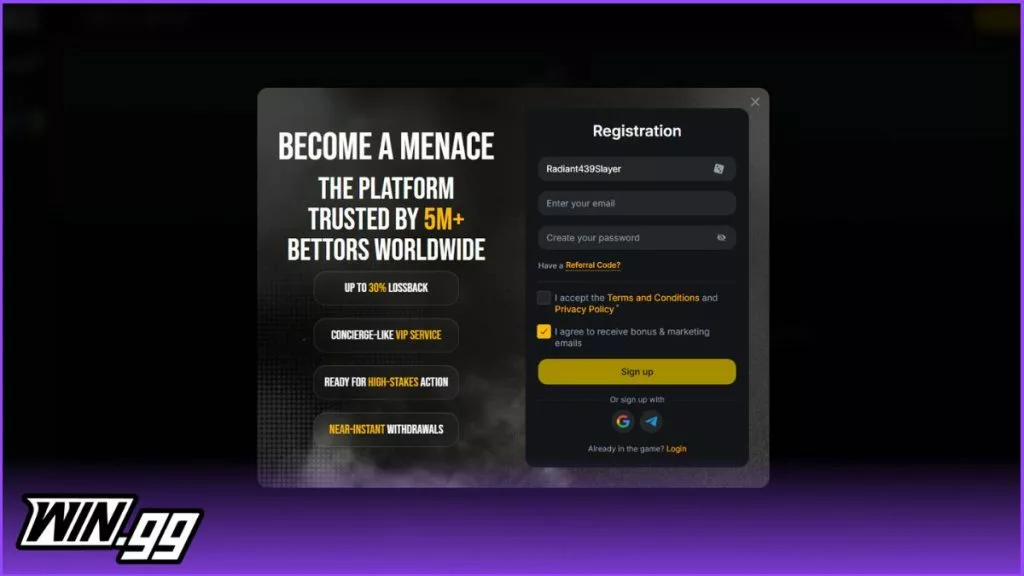
Now to the main part – how to sign up on Menace. First things first, it’s simple, and as I guaranteed you from the start, Menace makes everything a bliss. And like many platforms I have come across, there are requirements to meet:
- Meet Menace registration age limit of 18 years or above
- Be located in one of the Menace’s allowed countries
- Provide all necessary, accurate, and true details as required
If the above is met, then follow these quick Menace sign-up steps:
Step 1: Visit the Menace website
A click on the banners on this page directly takes you to the main Menace website. Even better, it will be vital to know if Menace is available in your country and the bonus offer in your region.
Step 2: Start Registration
Then click the yellow ‘Registration’ button. This opens up the registration form, and you can start your Menace registration.
Step 3: Enter your Details
Start by entering your username/nickname, email address, and then set up a strong account password. Double-check your details, especially the email address, as you’ll have to verify it during the KYC stage.
Step 4: Enter Referral Code
While not a necessity, you can enter a Menace promo code under the ‘Have a Referral Code’ field if you have one. It’s important to note that you’ll still be able to access Menace bonus offers in your location, with or without a code.
Step 5: Check the boxes
Check the first box to agree to Menace’s terms of service and privacy policy. You can also check the second box if you’d like to receive bonus and marketing emails.
Step 6: Complete registration
Tap ‘Sign Up.’ and you’ll have completed your Menace registration process. You’re now set up and ready to begin your Menace action.
📌 Note: You can also sign up using your Google or Telegram accounts. You only need to click on either icon and follow the prompts.
Account Verification at Menace: What to Expect
On every legit platform I have tried, verification is expected, and it’s no different at Menace crypto casino. While I was not required to immediately verify my new Menace account, I chose to do so at this stage to avoid payment delays, especially on withdrawals. The verification process is similar to most sites and will involve the following:
- Providing additional personal information, including your name and phone number.
- Email address verification through a special link.
- Phone number verification through a 6-digit OTP code.
- Providing documents for verification. They include, but are not limited to, the following:
- Copy of a valid ID, such as a passport, personal ID card, or driver’s license
- Copy of address, such as a valid and recent utility bill, a lease contract, or a bank statement.
- Copy of proof of payment
- Menace can also request a selfie or a video verification at its own discretion.
Logging In to Your Menace Account
Like registration, logging in to Menace is easy and will take a minute or so. I loved that you can save your login details, making your subsequent logins even faster.
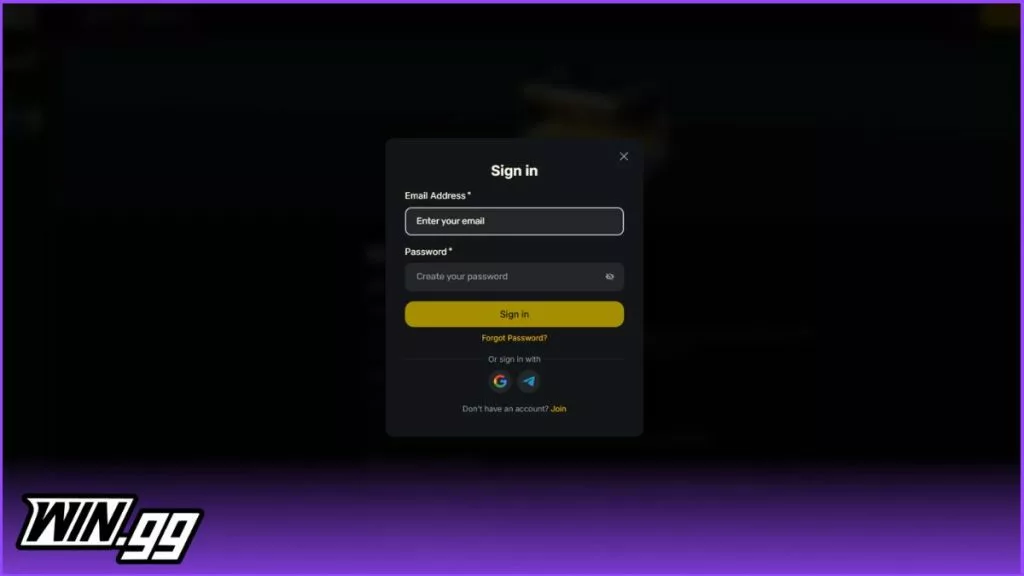
A quick guide on how to log in to your Menace account, though:
-
Click the Menace banners on this page to access the website.
-
Tap ‘Login’ at the top.
-
Enter your email address and password.
-
Tap ‘Sign In’ to log in.
You should not experience any Menace login issues, but if you do, you can always contact support. However, some issues can be solved from your end, as I’ll show you later in the guide.
Making Your First Deposit at Menace
The deposit process at Menace is simple and is like most crypto betting sites. These are the simple steps I followed after registration to make my first deposit:
-
Tap ‘Deposit’ at the top.
-
Choose your preferred crypto (USDT, BTC, ETH, USDC, TRX, ADA, AVAX, etc.)
-
Copy Menace deposit address.
-
Open your wallet, then paste the Menace address.
-
Enter your deposit amount and complete the transaction.
-
Deposits at Menace are instant, allowing you to begin action straight away.
Menace Welcome Bonus: What New Players Get
One area Menace does differently from the rest is its welcome bonus. It’s not the deposit bonus I occasionally come across at most sites, but instead, a welcome lossback. It is a 10% lossback on your daily losses, and will be credited for 7 consecutive days after registration. The best part is that it is credited as real cash and will not be subject to any wagering. The maximum lossback you can claim in a day is $1,000.

Common Menace Registration and Login Issues and Solutions
As I promised, I’d look at the common registration and login issues you can face at Menace, and how you can solve them:
| Issues | Solutions |
|---|---|
| ❌ Verification link not received | ✅ Check your email junk or spam folder |
| ❌ Verification errors | ✅ Avoid them by having recent, clear documents that match your personal details. |
| ❌ Password error | ✅ Check that you enter the correct password, including small and capital letters. If you forgot, the ‘Forgot Password’ option comes to your rescue, allowing you to recover and set up another |
| ❌ Can’t change your username | ✅ Visit the ‘Profile Info’ for a Menace username change. If the problem still persists, contact the support team |
| ❌ Menace sign up not working | ✅ Clear cache and cookies, check your internet connection, or try another browser. The support team is also available to help you should the problem continue |
Tips for New Menace Users
Honestly, my registration journey was easy, and I owe it to my familiarity with such sites. But it might be a different case for a newbie. That’s why I have some tips that can help you:
- Ensure the information you provide is very accurate.
- Ensure your verification documents corroborate your personal information.
- Verify your account to ensure deposits and withdrawals are a breeze.
- Set up a unique, secure password to secure your new account.
- Only have one account under your details.
- Avoid using VPNs to access your account, as you risk it being closed or suspended.
 Simon Day
Simon has been writing about Gaming and Sports for over a decade, with his work featured in a variety of well-known gaming magazines. In 2025, he joined win.gg as an Editorial Specialist, where he continues to share his passion for the industry through insightful and well-crafted content pieces.
View full profile