


Kalshi is one of the best known prediction market exchanges with a huge customer base and a vast selection of predictions including politics, sports, elections, culture, crypto, and the economy that you can trade with other people.
But is there a Kalshi app and what is the mobile prediction trading experience like? We’ve been researching both of these questions and have compiled our findings in the below guide. From the outset, it looks like Kalshi has an excellent mobile setup, with two downloadable apps that have great reviews and ratings.
- Is there a Kalshi app?
- Kalshi’s App Ratings on the App and Play Stores
- Kalshi app on the Google Play Store
- Kalshi app on the Apple App Store
- Our Own Experiences with Kalshi’s App
- Pros and cons of the Kalshi app
- Getting Stated with the Kalshi App
- Kalshi’s Made One of the Best Prediction Market Apps Available
- Kalshi app FAQs
Is there a Kalshi app?
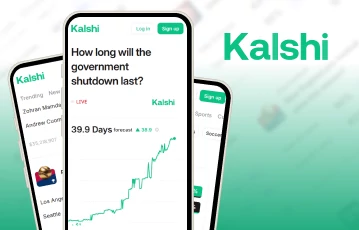
Yes! Kalshi understands the importance of mobile trading and thus established its Android and iOS apps pretty early on. You can download the apps from their relevant app stores, and then complete your Kalshi registration as you would with the desktop website. Below, we’ll explain our experiences with the apps, plus take a look at what other customers are saying about them.
Kalshi’s App Ratings on the App and Play Stores
Before we provide our own insight for this Kalshi review, we wanted to see what other people were saying. With this in mind, we checked out the reviews and ratings for the apps from the Google Play Store and the App Store and you can see a summary below:
| App Version | No. of Downloads | Star Rating | Reviews |
|---|---|---|---|
| Android – Play Store | 1m+ | 4.8 | 92,000+ |
| iOS – App Store | N/A | 4.8 | 430,000+ |
When we checked these ratings, Kalshi was also ranked fifth on the App Stores’ Top Charts in Finance, which is very impressive. This mean it ranks behind Capital One Mobile, PayPal, Cash App and Venmo, in that order.
Kalshi app on the Google Play Store
The Google Play Store version of the app is one of the top-rated prediction exchange apps available. We checked out a range of the comments and reviews and there was a mixed bag, however. The positive reviews pointed out the quality of the predictions they offer, the trade volume and liquidity for the different predictions, and the ease of use of the app.
However, we did see a few negative reviews claiming that the customer support was poor and that the live chat feature was hit and miss. The overall sentiment was largely positive though, and the low star ratings were few and far between.
We have found reviews like this on many sites/apps and they are often a result of people simply wanting to vent their frustration when they have made bad trading choices. The bottom line here is that when using any trading exchange such as this, there is the chance that you get back less than you put in.
Kalshi app on the Apple App Store
Next up we looked at the reviews and ratings of the App Store version of the Kalshi App and we found a similar story. The iOS version of the app is one of the top-rated in the finance section on the App Store, and with over 1 million downloads, it’s easily one of the most popular too. At the time of writing this guide, there were 430,000+ reviews.
The positive reviews generally praise the massive range of prediction markets they offer, especially the sports section and the introduction of the live sports prediction markets. We also noticed that customers generally seem to like how the app works, the way you can manage your account, and the simplicity of the banking process.
A couple of negative reviews, like the Play Store version, did comment on the poor response times of the customer support team, and a few others looked to be scam comments trying to get free money out of the company.
Our Own Experiences with Kalshi’s App
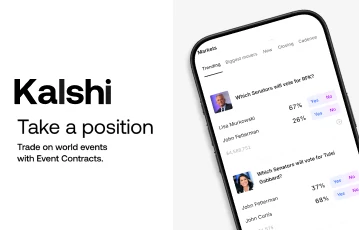
We didn’t just want to take people’s word for it though and we wanted to test the Kalshi app for ourselves. So, we downloaded and tried out both the iOS and Android versions. They both work great. The installation process is smooth, and you can get up and running in no time. On top of that, we like the layout of the app and the simplistic prediction setup they show for each individual market – it’s very user friendly – especially for those who might be first-time prediction trading users.
In terms of speed and performance, the different sections load quickly, you can switch between the various categories instantly, and the live prediction pages for the sports markets seem to load fast too, with frequent percentage and price updates. For smartphones, we also like the touchscreen functionality– the hitboxes around the buttons are large enough so that everything is easy to tap.
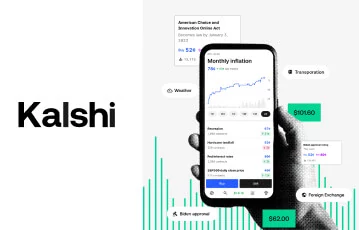
Compared to the desktop version of the site, it looks as if the app has full functionality, and anything you can do on the website, you should be able to do on your phone too. This includes making deposits and withdrawals, buying and selling trade contracts, and browsing the different prediction markets. You also still have access to features like the Kalshi referral code and any other schemes they might run.
The only real downside we saw (which was coincidentally commented on) was the slowish customer support response times and the lack of promotions. We used the live chat on multiple occasions, and a few times we were waiting 10+ minutes to get a reply. Email support took longer than this, but from our experience, email support is usually one of the slowest methods anyway. Additionally, the Kalshi app could definitely benefit from more promotions, but we understand that these aren’t as common for prediction trading exchanges.
Pros and cons of the Kalshi app
Overall, we enjoyed our experience using the Kalshi app, and while it is definitely not perfect, we feel it provided a safe, smooth, and engaging trading experience. We believe that whether you’re a beginner or a veteran trader, you will find this app has everything you need to use Kalshi effectively. The only minor improvements we would like to see are quicker customer support response times, and more promotions added.
Getting Stated with the Kalshi App
If you’ve liked what you’ve seen and you want to try Kalshi, you will need to download and install the app, and then register an account.
Downloading and installing the app
You can download and install the app in exactly the same way you would any other mobile app or game.
Just click the relevant links to open the App Store or Google Play Store, and hit the download or install button. The app will then be automatically installed on your smartphone, and you can tap the icon to open it and start the registration process.
Creating an account with Kalshi
To actually use the Kalshi app and start trading predictions, you will need to register an account which can be done by following these steps:
-
Click our Kalshi banners
-
Click the “Sign Up” button
-
Choose your country
-
Enter the required personal details
-
Complete the initial verification
-
Enter a Kalshi promo code if available
-
Log in to your new account
Account verification
As part of its KYC and AML policies and to protect customers from fraud, you will have to go through an initial ID verification process. We know this is annoying, but it’s a requirement. This can include uploading a photo ID and a selfie, plus doing other things like providing your name and address, and verifying your phone number – just complete the steps as requested and there should be no issue.
Kalshi’s Made One of the Best Prediction Market Apps Available
If you want to give smartphone prediction trading a try, the Kalshi app is certainly one of the top options currently available. It’s for the most part a well-built app that puts your user experience first, and gives you access to the vast range of prediction markets and trading opportunities that Kalshi provides. To give it a try for yourself, all you need to do is click any of the banners featured on this page and get signed up today.
Kalshi app FAQs
🧐 Is the Kalshi app legit?
💰 Can you win money from the Kalshi app?
📊 What prediction markets does the Kalshi app have?
 Simon Day
Simon has been writing about Gaming and Sports for over a decade, with his work featured in a variety of well-known gaming magazines. In 2025, he joined win.gg as an Editorial Specialist, where he continues to share his passion for the industry through insightful and well-crafted content pieces.
View full profile