Upcoming Pokémon Scarlet & Violet DLC is bringing new uniforms. Here’s how trainers can redeem these new outfits.
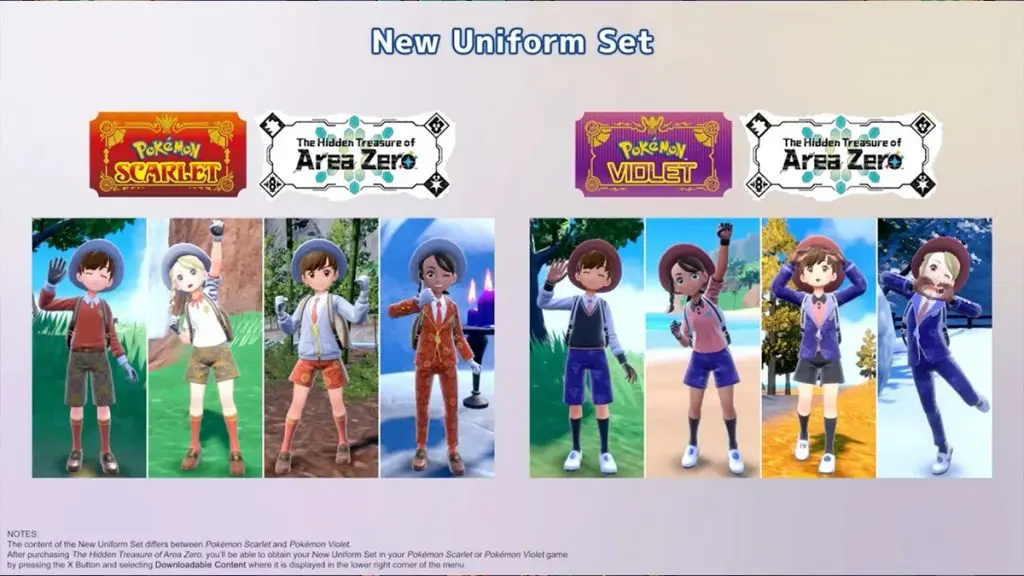
Pokémon Scarlet & Violet have been a huge hit with the Pokémon community, but there’s been an ongoing complaint about the lack of clothing options. Trainers didn’t have a lot of variation, and players weren’t able to show their unique style. While shoes, bags, and other accessories could be customized, the four uniforms were quite underwhelming.
Now, some new uniforms are finally here.
Pokémon Day DLC announcements
Today, February 27, is
Pokémon Day! There’s community activities,
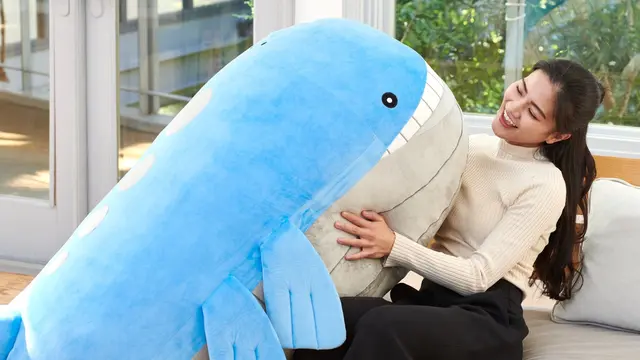
giant plush pre-orders, and other fun festivities for Pokémon fans.
Pokémon Unite
Zacian is joining the UNITE roster. Starting today, complete missions for in-game items to obtain Zacian’s UNITE license. He will then appear in a special quick battle called Boss Rush.
Pokémon Scarlet & Violet
There’s more content coming to Scarlet and Violet. Starting today, you can take part in a Tera Raid Battle where you can catch Walking Wake in Scarlet or Iron Leaves in Violet. You can also link the game to GO to send postcards between the two games, changing Vivillon’s pattern. HOME support is coming in spring.
This year, there is also two waves of DLC coming later this year — the first one in fall and then winter.
But did you know that you can get the uniforms before the DLC drops?
How to get the DLC uniforms in Pokémon Scarlet & Violet
Ready to finally have a new style in Pokémon Scarlet & Violet? You luckily don’t have to wait. Here’s how to get the new uniforms:
Head to the Nintendo eShop and purchase The Hidden Treasure of Area Zero DLC
Open Pokémon Scarlet or Violet
Go to the main menu by pressing “X”
When you scroll down, you’ll see “downloadable content”
If you don’t see this option, update the game
Select “Check Item Details”
If you press “A” you’ll get the new uniform sets
Leave the menu and press left on the D-pad to open the Outfit menu
You’ll see the new seasonal outfits here and will be able to select them
Olivia Richman
About Olivia Richman
Olivia has worked in media ever since graduating from college, with her coverage ranging from traditional newspaper reporting to digital coverage of all things gaming, online betting, and nerd culture. She has traveled around the world pursuing that coverage, from the far coasts of the United States to the busy downtown core of Tokyo, Japan. Olivia’s favorite games include Overwatch and Super Smash Smash Bros, and she has been published at Esports Illustrated, Inven Global, EsportsInsider, Upcomer, and elsewhere.



 Pokemon
 Pokemon
 Pokemon
 News
News
 Pokemon
 Pokemon
 Pokemon