
Club Launches Mobile App — Here’s How It Works


The creator-focused community platform, Club, which is backed by Stake and Kick co-founders Eddie Craven and Bijan Tehrani, has just released a mobile app following months of users requesting it.
Club was created earlier this year as another method for creators to earn and for fans to be able to interact with them at a more intimate level. The platform introduced communities when X announced it would remove the feature, which pleased many creators and fans who used the option.
Club has since released several updates for both creators and normal users, and now the platform has released its much-awaited mobile app — we downloaded and explored it on Android, and here is a look at what you can expect.
What is the Club mobile app?
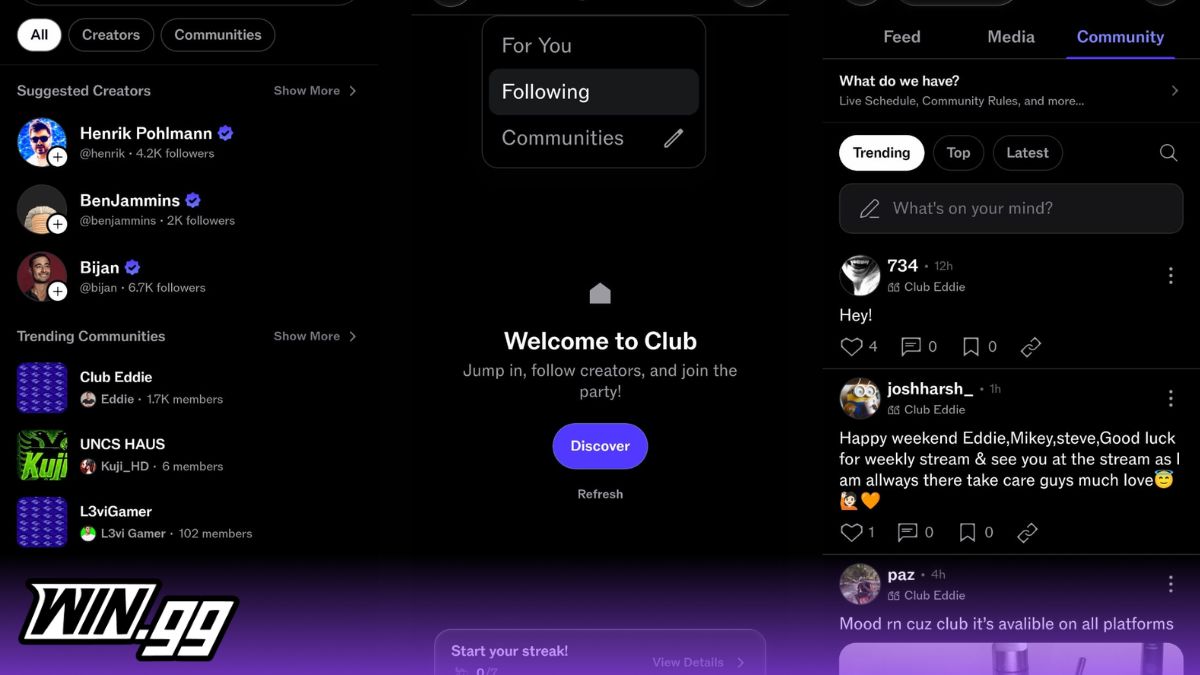
The Club mobile app is essentially a mobile version of the platform’s website. It was released after countless users requested the platform for a mobile version, as it’s more convenient for them. Club’s mobile app contains the same core functionality as its web version, but it allows users to browse the platform without having to use the website. The login or signup methods on the mobile app are exactly the same as the website, and users can use their emails, Kick, Google, Apple, or Twitch accounts. Existing users are directly taken to their feed, while new users have to set a username before being sent to the For You feed. The navigation bar at the bottom contains buttons for home, search, notifications, chat, and profile.
The home screen of the app is sleek, and you can quickly see posts that are on your feed, with the option to change the feed between For You, Following, and Communities. You can interact with posts by liking, commenting, bookmarking, or copying their links. Normal users can also post text, images, voice, polls, GIFs, and other media. It’s worth noting that posts can’t be edited at this time, and you would have to delete and make a new one.
The Club mobile app is similar to other social media mobile apps such as Facebook or X, and gives users the ability to scroll through their feed while interacting with posts.
How do Club Communities and profiles work?
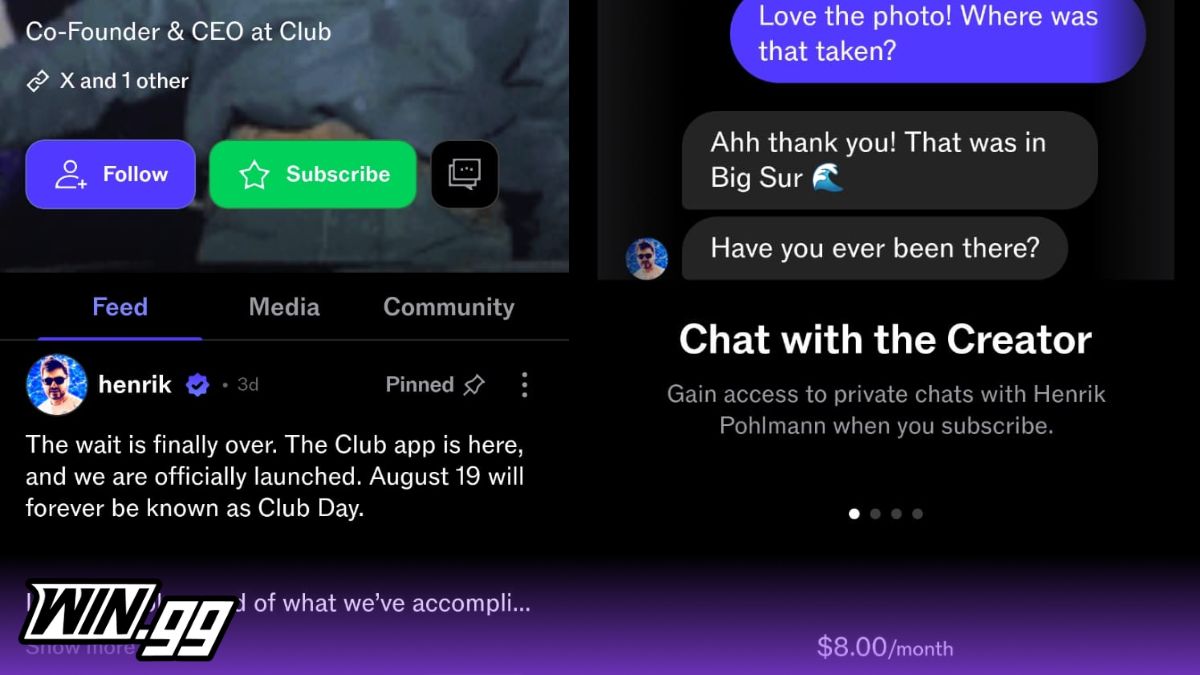
Communities are a core element of Club, and users can find them using the search button, where they can search for profiles to follow or communities to join. Communities are one of three feed options, which makes sense given how much Club highlighted adding the feature when X announced it would remove the option. Club communities work similarly to X’s version, with users having the option to join, post, and interact with posts.
There are two types of profiles on Club: normal user and creator. Normal users can be followed, and you can interact with their posts and follow what they are up to. Creator profiles can either be followed or subscribed to, or both. Subscriptions cost $8 per month and allow you extra features — these include the option to chat with creators, access to exclusive content and emotes, and a subscriber badge.
How ClubCash works on the mobile app?
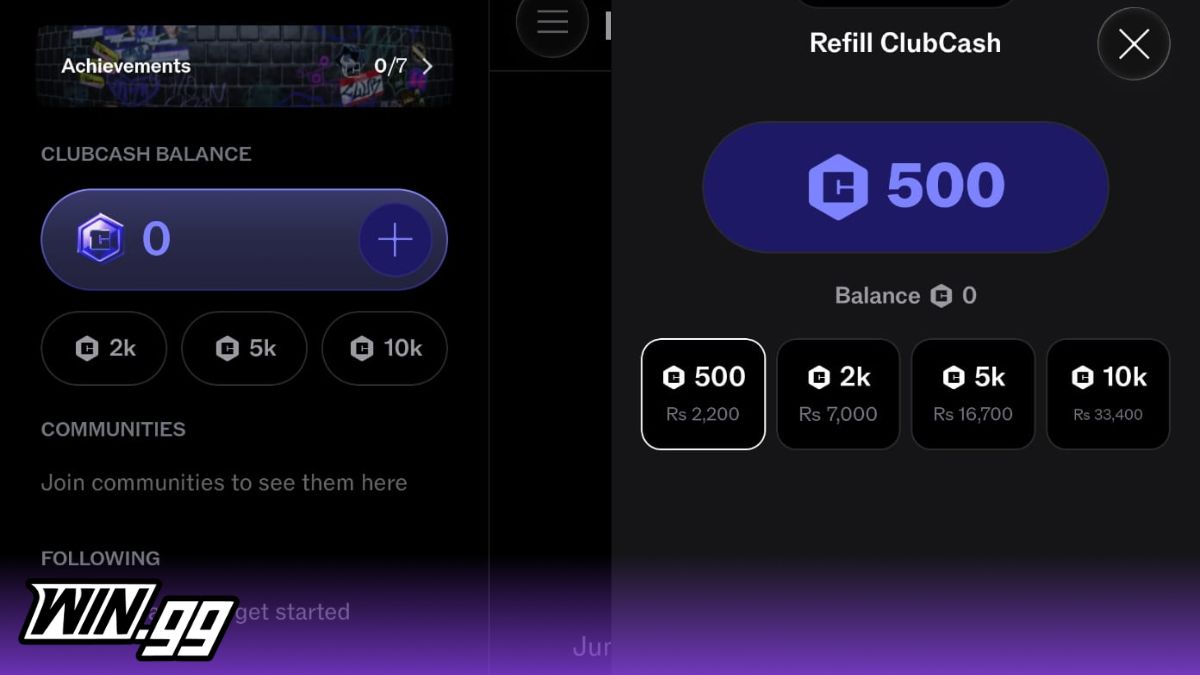
ClubCash is the platform’s currency, which users can use to support their favorite creators. If you have a balance, you can easily send creators ClubCash directly from their post. If you have a zero balance, you will be sent to the ClubCash refill screen. There you can buy 500, 2,000, 5,000, or 10,000 ClubCash packages. The prices are displayed in your local currency, and you check out through Google Play. You can also later view your transaction history from the app’s settings.
Other features and what’s missing from the Club mobile app
The Club mobile app has other features in the in-app settings, including block, subscription management, transaction history, and account deletion. These are important features, as you can manage the users you have blocked, review the transactions you made through the app, and easily delete your account with just two taps.
Despite this, the Club mobile app is missing some important features currently. These include an NSFW toggle and an option to edit posts, though it seems plausible that these will be added in future updates.
WIN.gg tested the Club mobile app and found it to be a great addition to the platform: it does almost everything it’s needed to do and offers a user-friendly experience that is only going to get bigger
Image credit: Club mobile app

Khizar Mundia has been playing video games for as long as he can recall. Things have come a long way since the many days he spent playing the original NES, though. He now covers a variety of competitive games and esports, as well as the world of streaming, ranging from Twitch to Kick. If it’s of interest to gamers, it’s of interest to Khizar.
View full profileRead Also
 Kick
Kick
 Kick
Kick
 Twitch
 Kick
Kick
 Kick
Kick
 Kick
Kick
 Kick
Kick